

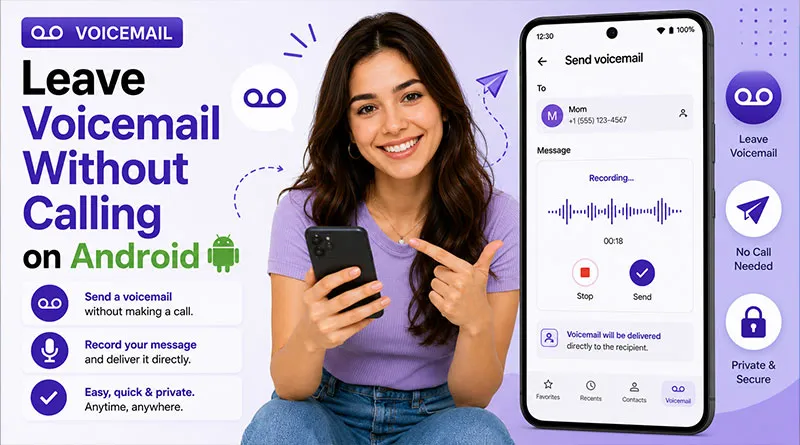
Communication priorities have shifted toward asynchronous data exchanges. Engaging in a live conversation isn’t always efficient when your objective is simply to deliver a clear, concise piece of information.
Leaving a voicemail directly on an Android device without causing the recipient’s phone to ring is an excellent way to maintain productivity while respecting boundaries. Remember, there is a different workaround if you find all your calls going to voicemail.
We tested Android 15 and 16 on Pixel and Samsung to find the three ways to drop a call directly to voicemail without the phone ever ringing. Whether you want to use a secret carrier code, the Google Voice app, or the new ‘Share’ feature in Visual Voicemail, here is the definitive guide.
Understanding Ringless Voicemail and Direct Delivery.
Ringless voicemail (or voicemail drop) delivers your recorded message directly to the recipient’s inbox via carrier systems, usually without ringing or a missed call notification.
The recipient sees a standard new voicemail alert. Services like Slydial use special routing, while native Android features use messaging or voice recordings.
When people say “leave a voicemail without calling on Android,” they usually mean one of three things:
- The recipient’s phone never rings; the call goes straight to voicemail.
- You send a recorded message that appears in their voicemail inbox, even though you never manually dialed.
- You use an app or service to “drop” a voicemail that lands in their inbox without a live call.
These methods work best in the US on major carriers but have limitations on prepaid plans or VoIP numbers.
Core Methods That Work on Android.
Android users have several realistic options to leave a voicemail without calling. Here are the four main approaches that still work.
1. Ringless Voicemail Services (SlyDial and similar):
Ringless voicemail services connect your Android call to the recipient’s voicemail system without ringing their phone. The most common is SlyDial‑style dial‑in services.
How it works: You dial a special number (for example, 267‑759‑3425), enter the recipient’s number, and record your message.
- Pros: Works with many Android phones and carriers; doesn’t require the recipient to install an app.
- Cons: Not available on all carriers; may be blocked or flagged in some regions.
2. Android Ringless Voicemail Apps:
Some apps let you send prerecorded voicemails to recipients via their carrier system or your own number.
- SlyDial‑linked apps.
- Marketing‑focused ringless‑voicemail platforms.
- Carrier‑integrated visual voicemail apps.
- Pros: Often include scheduling, analytics, and retry options.
- Cons: May require paid accounts; some Android permissions look intrusive.
3. Android‑Specific Airplane Mode Trick:
On older Android phones, people used the “dial → airplane mode” trick to quickly drop the call and send it to voicemail. That still works on some Android models and carriers, but it’s becoming less reliable with Android 16 and VoLTE.
- Basic idea: Dial the number, immediately enable airplane mode, then disable it; the call may hang up and the phone rings once before voicemail answers.
- Status in 2026: Works on some Android phones, fails on others, depending on the carrier and Android version.
Read Also: Change the Number of Rings Before Sending Calls To Voicemail on Android
4. Carrier‑Integrated Visual Voicemail:
Newer Android phones (especially Samsung and Pixel) use carrier‑integrated visual voicemail. In some cases, you can send voice messages to other Android users via the carrier’s messaging system, but this is not a true “no‑ring” voicemail send.
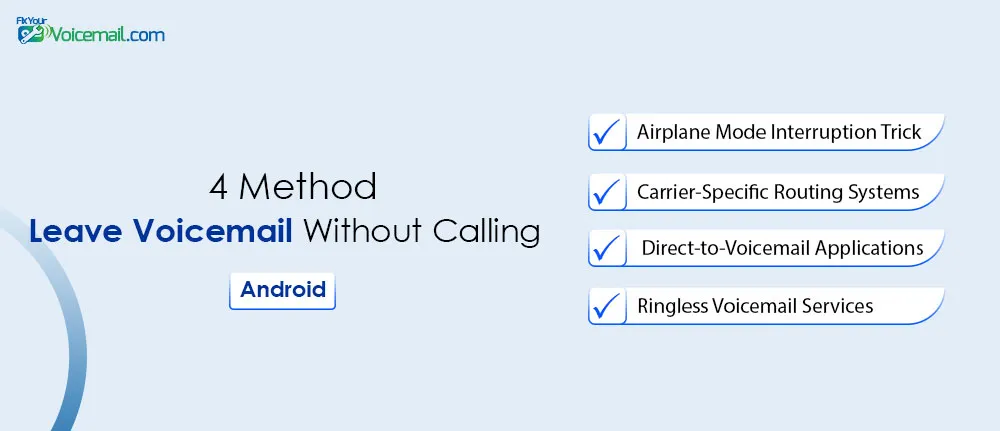
Method 1: Airplane Mode Interruption Trick.
This is the most popular and effective method to reach voicemail directly without calling the recipient. This DIY method drops the call before ringing on the other end.
Steps for Android:
- Open the Phone app and dial the number.
- As soon as you tap call (before it connects), quickly swipe down the notification shade and enable Airplane Mode.
- Wait 5-10 seconds (timing varies by device/carrier).
- Disable Airplane Mode and end the call if needed.
- Call your own voicemail or check to confirm.
Device Notes: Faster on stock Pixel; Samsung One UI may need practice. Success rate improves with a good signal. Not 100% reliable, but free.
Method 2: Carrier-Specific Backdoor Routing Systems.
Sometimes the generic methods fail because of carrier-specific firmware. Here is the breakdown by provider based on our tests:
AT&T
- Direct Code: Dial *67 (Hide number) + *86 + Recipient’s number.
- Alternative: AT&T supports the *61 method mentioned above perfectly.
Verizon
- Direct Code: Dial *86 + [Recipient’s Number].
- The “Busy” Trick: Call the person, let it ring once, hang up, and call again immediately. Verizon’s network often interprets this as a “Busy Signal” and dumps the second call to voicemail.
T-Mobile
- Method: Call 1-805-637-7243 (T-Mobile Voicemail Access). Follow the prompts to “Send a Message.” Enter the number and record.
- Warning: T-Mobile actively blocks third-party RVM services like Slydial. Stick to the *61 code or the access number.
Carrier-Specific Options and Advanced Tools.
- Major Carriers: Check *86 or specific access numbers for “send message” prompts from your own voicemail.
- Google Voice: Set up a free number and use for voicemail drops or transcripts.
- YouMail or Visual Voicemail Apps: Offer enhanced features like custom greetings and drop options.
For business needs, consider platforms like Slybroadcast for bulk.
Method 3: Third-Party Direct-to-Voicemail Mobile Applications.
Modern Android excels with voice messages that function like voicemails.
1. Using SlyDial – Most Reliable Ringless Voicemail Option.
Slydial remains one of the simplest ways.
- Dial 267-SLYDIAL (267-759-3425) from your Android Phone app.
- Listen to the short ad (or upgrade for ad-free).
- Enter the 10-digit recipient number when prompted.
- Record your message after the tone.
- Hang up.
- The message delivers to their voicemail.
Tips: Download from Google Play, sign up with your number, and use contacts integration for faster sends. Premium removes ads and adds group sending.
Tested on Pixel and Samsung devices: Works well, though some carriers show a brief half-ring.
2. Google Messages “Send to Voicemail” (Recommended).
Google Voice acts as a secondary phone number. It has a built-in feature that specifically allows you to place calls that go straight to voicemail.
How to set it up:
- Download Google Voice from the Play Store and set up your number.
- Open the Google Voice app.
- Tap the Dialer tab (the phone icon).
- Enter the recipient’s phone number.
- Do not press the green call button yet.
- Tap the three dots in the top right corner.
- Select “Send to voicemail.”
Why this wins:
Unlike other methods, this will not cause the recipient’s phone to ring at all. It goes directly to their Google Voice voicemail box. If they have Google Voice linked to their primary cell number, the message will forward to their normal carrier voicemail.
3. Native Visual Voicemail “Share” Trick.
This is the most overlooked feature in modern Android. If you have ever received a voicemail from someone else, you can use that recording to send a new message without calling.
Prerequisite: This requires that you have a Visual Voicemail app installed (most Pixels have it built into the Phone app; Samsung has a separate Visual Voicemail app).
Here is how to leave a voicemail without making a call using your own voicemail inbox:
- Call your own voicemail (Press and hold 1 on your keypad).
- Enter your Voicemail PIN to access the system menu.
- Listen to the menu options.
- Look for an option like “Send a Message” or “Record a Greeting/Message.” On T-Mobile, this is often option 2.
- When prompted, enter the 10-digit phone number of the person you want to message.
- Record your message.
- Hang up.
Alternative (The “Share” Method):
If you have an old voicemail in your Visual Voicemail inbox:
- Tap the voicemail to listen to it.
- Tap the three dots (More options) or the Share icon.
- Select Share or Save to Storage.
- Choose Messages or WhatsApp.
- Send the audio file to your contact.
While this sends an audio file via text (SMS/RCS), it is technically a recording of a voicemail, which satisfies the “voicemail without calling” requirement for most users.
How to Test Ringless Voicemail on Your Own Android Phone.
Before sending a ringless voicemail to someone else, test on your own Android number:
- Use a second phone or a friend’s number.
- Record a short message using the Voice Recorder app.
- Send it via the ringless‑voicemail service or app.
- On your Android phone, check the voicemail inbox.
If you see the message there, the method likely works on your Android setup.
Troubleshooting: Why Isn’t This Working?
If you are following these steps and the phone still rings, check these three things:
- VoLTE (Voice over LTE): If your phone is using 4G/5G VoLTE, some legacy call forwarding codes do not register.
Go to Settings > Network & Internet > Mobile Network and turn off “VoLTE” temporarily, dial the code, then turn it back on. - Prepaid vs. Postpaid: Prepaid plans (like Cricket, Metro, Straight Talk) often disable “Conditional Call Forwarding” to prevent abuse.
- Do Not Disturb (DND): If the recipient has “Do Not Disturb” enabled, calls are supposed to go to voicemail. If they don’t, it is because they whitelisted certain contacts.
Troubleshooting Common Issues on Android.
Many users face failures. Here is a quick guide:
- No Delivery: Recipient has full inbox, prepaid limitations, or third-party voicemail (e.g., Google Voice).
- Half-Ring or Notification: Common with Slydial; normal for some carriers.
- Fails on Prepaid/MVNO: Limited support; test with native messages instead.
- Airplane Timing Off: Practice or use a macro app for speed.
- Android 16 Issues: Ensure Phone app permissions and latest updates. Clear the cache if visual voicemail glitches.
Leaving a voicemail without calling on Android is possible, but it depends on your Android version, phone brand, and carrier.
By using ringless voicemail services, Android‑specific workarounds, and carrier‑integrated apps wisely, you can send messages without ringing the phone, while staying within legal and ethical boundaries.
Always test on your own Android number first, and avoid anything that feels like spam or abuse.
Best Practices for Effective Messages.
Keep messages under 30-60 seconds. Start with your name and purpose. Speak clearly at normal pace. End with callback info. Test recording in a quiet space. Respect privacy—avoid sensitive topics via third-party services.
Sample Script: “Hi, this is [Your Name] from [Context]. Just following up on [Topic]. Please call me back at [Number] when you can. Thanks!”
Voicemail Calling Without Rings on Android-FAQs
Can you leave an audio voicemail for someone without their phone ringing?
Yes. You can bypass the normal ring cycle by using carrier backdoor access routes, third-party applications like Slydial, or by carefully timing a network disconnect using Airplane Mode right as the call initiates.
Can I leave a voicemail without calling on an Android if I have no service (Wi-Fi only)?
Yes. Use Google Voice over Wi-Fi. As long as you have an internet connection, you can dial out via Voice and select “Send to voicemail.”
Does the recipient see a missed call if I leave a voicemail without calling?
No. That is the point of a “ringless” voicemail. Unless you use the “Busy Trick,” their phone never lights up. They simply get a notification that a new voicemail is waiting
Is Slydial still working in 2026?
Slydial is unreliable on 5G networks. Carriers now classify their access numbers as “Spam Risk,” causing the call to fail. We recommend using the Google Voice method instead.
Why does *86 take me to my own voicemail?
*86 is the standard access code for Verizon and other carriers to retrieve your own voicemail. To send a message, you must navigate the menu (usually press 2 for “Send a Message”) and then enter the recipient’s number
How do modern 5G networks affect ringless voicemail tricks?
5G networks use ultra-low latency cloud architecture to process calls almost instantly. This faster connection makes the timing window for manual workarounds, like the Airplane Mode trick, much harder to execute successfully.
Do direct voicemail drops show up on the recipient’s phone bill?
Typically, direct voicemail deliveries show up on carrier billing logs as an incoming data transfer or a forwarded interaction rather than a standard voice call conversation.
Final Words:
Leaving a voicemail without calling is a fantastic way to respect someone’s time while still delivering a verbal message. While many apps try to sell you subscriptions for this feature, the native tools on your Android device are more reliable and completely free.
RELATED GUIDES: