

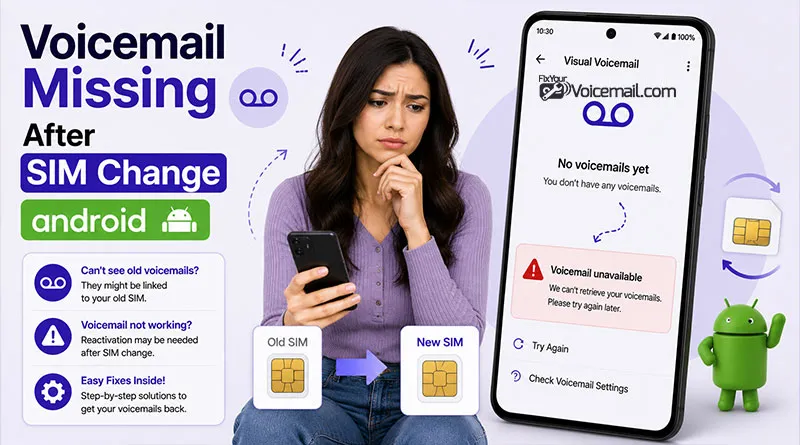
Voicemail often disappears after a SIM change because the Android phone, the Phone app, or the carrier has lost the voicemail connection. In many cases, the voicemail still exists on the line, but visual voicemail is no longer synced, the SIM profile is stale, or the carrier needs to re-provision the service.
Here’s what actually happens to your voicemail after a SIM change, how to recover what you can, and most importantly, how to never lose messages again.
Restore Missing Voicemail After SIM Swap:
- Wait 2-24 Hours (SIM Provisioning Delay).
- Restart Your Phone.
- Remove and Reinsert SIM Card (Power Off First).
- Clear Phone App Cache and Data.
- Check Cellular Connection.
- Check Voicemail Settings in Phone App.
- Reset Network Settings.
- Disable Battery Optimization for Voicemail App.
- Check Conditional Call Forwarding (CCF).
Why Voicemail Gone Missing After SIM Change on Android?
Changed your SIM card or activated an eSIM and opened your Phone app to find your voicemail inbox empty? Actually, both Android and iPhone tie voicemail to your SIM profile, not just your phone.
Carrier voicemail lives on your carrier’s server, linked to that specific SIM. Visual voicemail messages are stored in a database that Android 15 and 16 create separately for each SIM.
When you swap, your phone sees a new line and starts a fresh, empty inbox. Old messages are not automatically moved. The good news: carrier messages are usually kept for 14 days, and you can often re-link them.
Common triggers:
- Carrier needs time to link new SIM ICCID to your mailbox.
- Phone app cache conflicts with “new SIM” detection.
- Dual-SIM or eSIM conflicts on Samsung devices.
Do You Lose Your Voicemails After SIM Swap?
Usually no, voicemails stay on carrier servers tied to your number. As long as you keep the same number and carrier, messages remain accessible once Visual Voicemail reactivates.
Exceptions:
- Switching carriers (new mailbox created).
- Prepaid plans with short retention.
- Very old messages deleted per policy.
Pro Tip: Before swapping, play and share important voicemails as audio files.
Carrier-by-Carrier: What Happens to Your Voicemail
| Carrier | Voicemail/Visual Voicemail After SIM Change | Recovery Possible? |
|---|---|---|
| Google Fi. | Voicemail tied to Google account, not SIM. | Yes (retained in Google Voice). |
| AT&T. | Requires reactivation. | Maybe (contact support quickly). |
| Verizon. | Visual voicemail provisioning resets. | Unlikely. |
| T-Mobile. | Voicemail password may reset. | Sometimes (within 30 days). |
| Consumer Cellular. | “My voicemail is gone” per user report. | Unknown. |
| US Mobile (Verizon/AT&T). | Phone app version 148+ broke voicemail. | Yes (rollback to version 125). |
Read Also: Android Voicemail Not Working? Easy Fixes.
BEFORE You Swap: How to Backup Voicemails (Prevention)
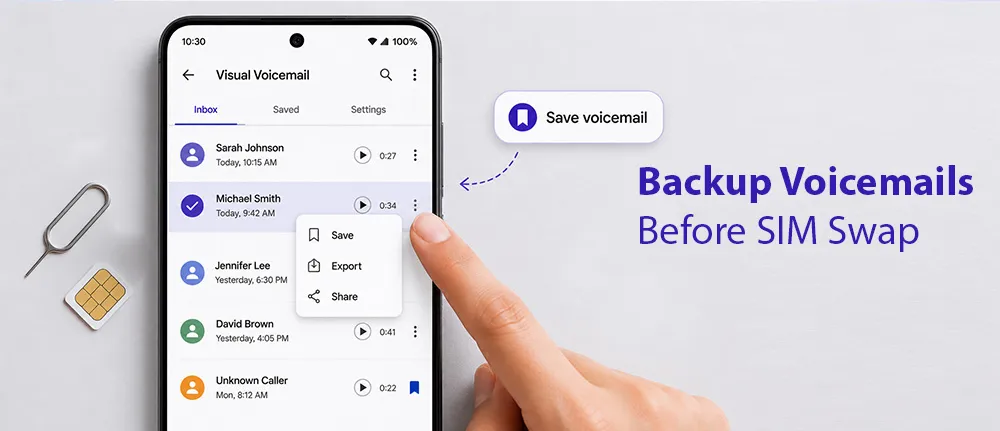
Do this BEFORE changing your SIM card. These steps save messages that no carrier can recover afterward.
Method 1: Export from Visual Voicemail
- Open Phone app → Voicemail tab.
- Tap and hold the voicemail you want to save.
- Select Save or Export.
- Choose Internal storage or Google Drive.
Method 2: Google Voice (Recommended)
- Set up Google Voice (free) before SIM swap.
- Forward your carrier voicemail to Google Voice.
- Google Voice stores voicemails in your Google account.
- SIM change does not affect Google Voice messages.
Method 3: Screen Recorder (Internal Audio)
- Swipe down → Screen Recorder.
- Select Record audio → Device audio.
- Play each voicemail and record.
Pro tip: If you are switching carriers permanently, assume all voicemails will be lost. Export everything before initiating the port or SIM change.
Read more: How To Transcribe and Export Voicemail on Android?
How to fix voicemail missing after SIM change-Quick Fix
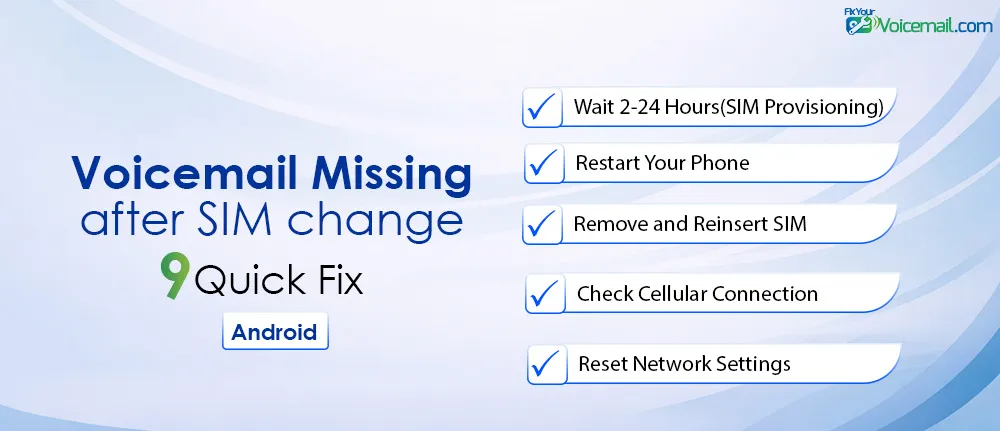
Voicemail may disappear after a SIM change because the voicemail‑server link is temporarily broken or the new SIM is not fully provisioned. Following these steps usually restores voicemail access within minutes to hours.
1. Wait 2-24 Hours (SIM Provisioning Delay)
Here is something carriers don’t tell you: voicemail provisioning can take up to 24 hours after a SIM change. Your voicemail tab may reappear on its own.
Test: Call your own number from another phone. Leave a test voicemail. Check back in an hour.
2. Restart Your Phone
SimplyMac confirms: “A simple restart often clears temporary glitches. Hold the power button → tap Restart”.
3. Remove and Reinsert SIM Card (Power Off First)
Power off your phone. Remove the SIM card. Wait 30-60 seconds. Reinsert and power back on. This forces the carrier to refresh voicemail provisioning.
4. Clear Phone App Cache and Data
SimplyMac recommends: “Go to Settings > Apps > [Your Voicemail App]. Tap Storage & cache. Select Clear Cache. If still broken, try Clear Data”.
5. Check Cellular Connection
Visual Voicemail requires a stable mobile network. Make sure Airplane Mode is off and you have good signal bars.
6. Check Voicemail Settings in Phone App
In the Phone app tap > Settings. Tap Voicemail. If you have two SIM cards, tap the SIM for the account to change.
Verify:
- Voicemail service is set to your carrier (not “None”).
- Voicemail number is correct (e.g., *86 for Verizon).
7. Reset Network Settings
Go to Settings > System > Reset options. Tap Reset Wi-Fi, mobile & Bluetooth.
8. Disable Battery Optimization for Voicemail App
Aggressive battery saving prevents voicemail from syncing in the background. This may also lead to delayed voicemail on Android.
Fix:
- Settings → Apps → Visual Voicemail or Phone app.
- Tap Battery → Unrestricted or Don’t optimize.
9. Check Conditional Call Forwarding (CCF)
A Google community expert explains: “On rare occasion, Conditional Call Forwarding (CCF) is somehow disabled, and an occasional voicemail makes it through”.
Reset CCF:
- Dial ##004# to clear all conditional forwards.
- Dial *61[voicemail number]# to reset.
Read Also: Fix conditional forwards send calls straight to voicemail.
Fix Voicemail Missing After SIM Swap: Pixel Users
Here is the fix buried in Google support forums. A Pixel user discovered that Phone app version 148 breaks voicemail, but version 125 works.
The user reported: “Over the past week (starting with version 148.0.) phone app is not showing or retrieving voicemails. If i ‘remove updates’ for the phone app in the Play Store (back to ver 125.0.), voicemail is immediately restored and functioning properly.”
How to rollback:
- Go to Settings → Apps → Phone app.
- Tap Three dots → Uninstall updates.
- Confirm rollback to factory version.
- Restart phone.
- Voicemail tab should reappear.
To prevent auto-update:
- Open Google Play Store → Phone app.
- Tap Three dots → Enable auto-update (toggle OFF).
This fix saved countless users on US Mobile’s Verizon and AT&T networks when the voicemail tab disappeared entirely after SIM changes.
Dual SIM Troubleshooting (Samsung, Pixel, OnePlus)
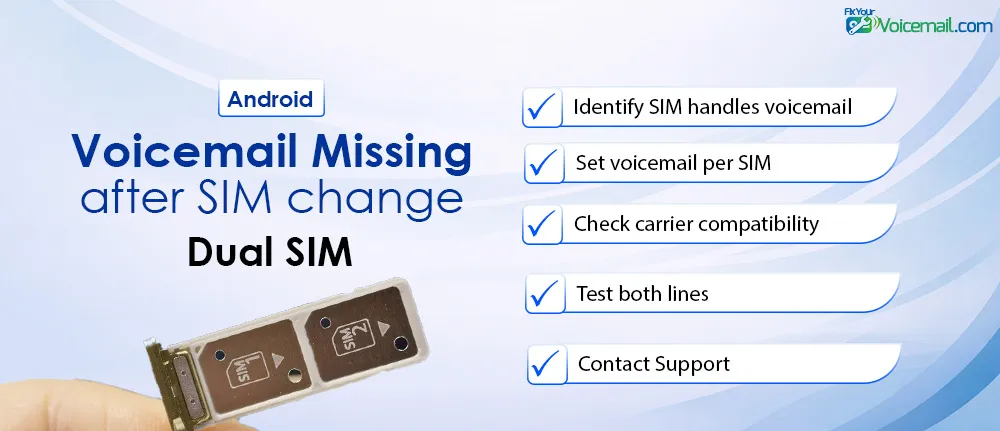
Dual SIM users face unique voicemail issues after SIM changes.
Orange support explains: “On Android 12 or more, and from version 6.0.2 of Orange Phone app, the voicemails of the 2 SIM cards are managed separately. However, the following conditions must be respected: One of the SIMs must be Orange or Sosh”
An e/OS user reported: “The display of voicemail and actions on messages malfunctions when you have the voicemails of both SIMs activated. It briefly displays the messages of SIM 0, then SIM 1. The actions of reading and erasing do not work.”
Fix for dual SIM voicemail missing after SIM change:
- Identify which SIM handles voicemail:
- Go to Settings → Network & internet → SIMs.
- Note which SIM is default for calls.
- Set voicemail per SIM:
- Open Phone app → Three dots → Settings.
- Tap Calling accounts or SIM settings.
- Select each SIM and verify voicemail number.
- Check carrier compatibility:
- Not all carriers support visual voicemail on both SIMs.
- You may need to call voicemail manually (hold 1) for the secondary SIM.
- Test both lines:
- Call each number from another phone.
- Leave test messages.
- Check which SIM’s voicemail appears.
Carrier-Specific Troubleshooting
| Carrier | Voicemail Access | Reprovision Request | Notes for Android 16+ |
|---|---|---|---|
| Verizon | *86 | Ask for VVM reprovision | Strong on Pixel. |
| AT&T | 1 | Request Visual Voicemail setup | App may be needed. |
| T-Mobile | # or app | Clear VVM + restart | eSIM common issues. |
| Others/Prepaid | Varies | “Reprovision voicemail for new SIM” | Longer activation. |
When Nothing Works: Carrier Reset & Recovery Options
If you completed all 9 steps and voicemail is still missing, the problem is on your carrier’s end.
Option 1: Call Carrier Support.
Ask them specifically:
- “Can you reprovision visual voicemail on my line?”
- “Was my voicemail box reset during SIM change?”
- “Can you recover messages from the last 7-30 days?”
Direct numbers:
- AT&T: 1-800-331-0500
- Verizon: 1-800-922-0204
- T-Mobile: 1-877-746-0909
- Consumer Cellular: 1-888-345-5509
Option 2: Reset Voicemail Password.
Sometimes a password reset refreshes access.
- T-Mobile users: Dial #793# from your phone.
- AT&T users: Log into att.com → Device Support.
- Verizon users: Use My Verizon app → Voicemail Settings.
- See: How To Reset Voicemail Password for detailed steps.
Option 3: Request Voicemail Box Reset.
Ask support to completely reset your voicemail box.
Warning: This deletes all existing messages, but it gets voicemail working again for future messages.
Fix Voicemail Missing After SIM Change- FAQs
Will changing my SIM card delete my voicemails?
For visual voicemail, access is typically lost or temporarily broken. Traditional dial-in voicemail usually survives. Always export important messages before changing SIMs.
Can I get my voicemails back after SIM swap?
Sometimes. Carrier support may recover messages from the last 7-30 days. Use the Google Phone app rollback fix (version 125) if the voicemail tab disappeared
How long does voicemail provisioning take after SIM change?
2 to 24 hours. Wait before troubleshooting. Some carriers take a full day to restore voicemail access.
Why did my voicemail tab disappear after SIM swap?
Google Phone app version 148+ has a known bug where it fails to recognize carrier voicemail after provisioning changes. Uninstall updates to roll back to version 125
Does dual SIM affect voicemail differently after SIM change?
Yes. Visual voicemail typically only works on the SIM set as default for mobile data. Some carriers don’t support visual voicemail on both SIMs simultaneously
How to export voicemails before changing SIM?
Open Phone app → Voicemail tab → Tap and hold message → Save → Choose storage location. Repeat for each important message.
Final Words:
A voicemail missing after SIM change on Android is usually temporary and fixable with the right steps. By following this Android 16-focused guide with device-specific instructions, you’ll get your Visual Voicemail working again and protect important messages going forward. If your exact model or carrier still has issues, share details below for more tailored help. Stay connected without the stress!