

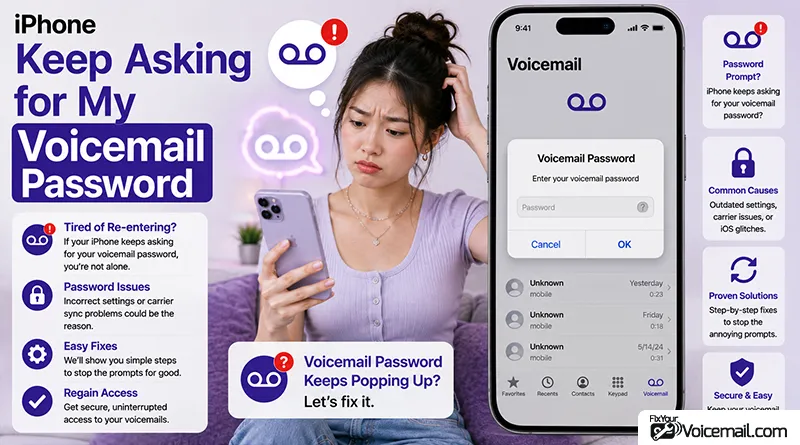
It is one of the most annoying things that can happen with your iPhone. You are trying to check a voicemail or even just unlock your phone, and a pop-up appears: “Enter Voicemail Password.”
You enter it, and it works, but then it pops up again an hour later or the next day. This persistent voicemail password loop on iPhone is a common issue that can make it impossible to check your messages.
You are not alone. This is a surprisingly common issue, and it often has nothing to do with you forgetting your password.
This is rarely a user error. Instead, it’s typically a conflict between your iPhone’s Visual Voicemail and your carrier’s voicemail system, often triggered by iOS updates or features like Live Voicemail.
Let’s get to the bottom of why this happens and, more importantly, how to make it stop permanently.
Stop the iPhone Password Prompt Loop(Quick Fix)
The fastest way to stop the prompt is to toggle Airplane Mode on and off to reset your network connection and force a fresh reconnection to your carrier’s server.
- Swipe down from the top-right corner of your screen to open Control Center.
- Tap the Airplane Mode icon. It looks like an airplane. This turns off your cellular and Wi-Fi connections.
- Wait about 10 seconds.
- Tap the Airplane Mode icon again to turn it off.
Why Does My iPhone Keep Asking for My Voicemail Password?
Your iPhone repeatedly asks for your voicemail password when there’s a communication error with your carrier’s voicemail server.
This often happens because Visual Voicemail, which relies on a data connection to download messages, is failing to authenticate your account.
According to a CNET report, this issue has been a persistent bug for some users since the early days of the iPhone. Today, it is most commonly triggered by:
- A New Activation: If you just set up your iPhone or switched carriers, your phone might be trying to sync with the carrier’s voicemail system.
- SIM/eSIM Change: Your phone might not have fully registered the new SIM with the voicemail server.
- Network Glitch: A temporary hiccup in your cellular or Wi-Fi connection can cause authentication to fail.
- A Stuck Software State: Sometimes the iPhone’s own Phone app gets confused and keeps pinging the server for the password.
The good news is that you can fix it. Below are the solutions, from the easiest to the most thorough.
Fix #1: Live Voicemail Causes Problems
When Live Voicemail is enabled, your iPhone intercepts calls and transcribes them locally before they reach your carrier’s voicemail system.
This creates a conflict where your iPhone expects carrier voicemail to handle the message, but Live Voicemail has already taken over.
As a Koodo community member discovered, “If you have enabled [Live Voicemail] on your iPhone, you can’t access your normal carrier voicemail” through the standard dial-in method.
How to Disable Live Voicemail
- Open Settings
Tap the Settings app on your home screen. - Navigate to Phone Settings
Tap Apps, then tap Phone. - Toggle Live Voicemail Off
Find Live Voicemail in the list and toggle it to the Off position. - Test Your Voicemail
Try accessing your voicemail again. The password prompt should no longer appear.
When to Re-enable Live Voicemail
You can turn Live Voicemail back on once the password loop is resolved. If the issue returns, you may need to choose between using Live Voicemail and accessing voicemail through your carrier’s system.
Remember that this issue is rarely user error. It’s typically a communication glitch between your iPhone’s Visual Voicemail and your carrier’s system, often triggered by iOS updates or features like Live Voicemail.
Fix #2: Toggle Airplane Mode
A quick workaround that has helped many users is the Airplane Mode trick, first identified in an Apple Developer forum.
Step-by-Step
- Enable Airplane Mode
Swipe down from the top right corner to open Control Center and tap the Airplane Mode icon. - Wait 30 Seconds
Leave Airplane Mode on for about 30 seconds. This disconnects your phone from all wireless networks. - Disable Airplane Mode
Tap the Airplane Mode icon again to turn it off. - Check Voicemail
Open the Phone app and tap Voicemail. The password prompt should be resolved.
Fix #3: Call Carrier
If these solutions don’t work, don’t hesitate to contact your carrier. They can reset your voicemail password on their end and ensure your voicemail is properly provisioned on your account.
With the right approach, you’ll be able to access your voicemail without the endless password prompts.
Signs You Need Carrier Help
- The Change Voicemail Password option is missing in Settings.
- You’ve forgotten your current password and need it reset.
- The password prompt persists after trying all solutions.
- You’ve recently switched carriers or SIM cards.
- Your voicemail isn’t provisioned correctly on your account.
How to Contact Your Carrier
- AT&T: Call 611 or use the MyAT&T app.
- T-Mobile: Call 611 or use the T-Mobile app.
- Verizon: Call 611 or use the My Verizon app.
- Other carriers: Call your carrier’s customer service number.
When you call, explain that your iPhone keeps asking for your voicemail password and that you need to reset it. The carrier can reset your voicemail password on their end, which often resolves the issue.
Fix #4: Reset Your Voicemail Password in Settings
The fastest way to resolve the password loop is to reset your voicemail password directly in Settings. This works on iOS 18 and later versions.
Step-by-Step Instructions
- Open Settings
Tap the gray gear icon on your iPhone home screen. - Navigate to Phone Settings
Scroll down and tap Apps, then tap Phone. On older iOS versions, you may find Phone directly in the main Settings list. - Tap Change Voicemail Password
Scroll down and select Change Voicemail Password. This option only appears once you have set up voicemail. - Enter a New Password
Type a new voicemail password. Most carriers require 4-10 digits. Choose something memorable but secure. - Confirm and Save
Re-enter the new password when prompted, then tap the checkmark or Save to confirm. - Test Your Voicemail
Call your number from another phone or press and hold the 1 key in the Phone app. Enter your new password to confirm it work.
Important Notes
AT&T warns that you will not be able to change or reset your voicemail password when using Wi-Fi Calling. If the Change Voicemail Password option isn’t visible, turn off Wi-Fi and try again over cellular data.
Prevention: How to Stop It From Happening Again
Once you’ve fixed the issue, follow these tips to prevent it from recurring:
Keep iOS Updated
Apple regularly releases updates that fix bugs and improve system stability. The voicemail password issue has been known to occur after iOS updates, so staying current helps.
Update Carrier Settings
Check for carrier settings updates when prompted. To manually check, go to Settings > General > About. If an update is available, a pop-up will appear.
Use Cellular Data During Setup
This trick forces your iPhone to re-establish a fresh connection with your carrier’s network, clearing any temporary communication issues that may be causing the password loop.
Avoid Password Conflicts
If you use Live Voicemail and experience password prompts, consider disabling it temporarily until the issue is resolved.
Save Your Password Securely
Use a password manager or secure note to store your voicemail password so you don’t forget it.
Document Your Reset
If you need to contact your carrier for a reset, note the date and method used. This can help if the issue recurs.
READ ALSO:
Stop Voicemail Password Prompts on iPhone:FAQ
Why does my iPhone keep asking for my voicemail password?
Your iPhone asks for your voicemail password because it is failing to authenticate with your carrier’s voicemail server. This is often caused by network glitches or SIM changes.
How do I stop my iPhone from asking for my voicemail password?
Try the quick fix: toggle Airplane Mode on and off. If that doesn’t work, reset the password in Settings > Phone > Change Voicemail Password.
How do I change my voicemail password on my iPhone?
Go to Settings > Phone > Change Voicemail Password. Enter a new password and confirm.
What if I forgot my voicemail password?
If you have forgotten your password, you must contact your wireless carrier or use their website/app to reset it.
Why is my voicemail asking for a password on my iPhone?
This is a sign that the visual voicemail feature is having trouble syncing. It may be a temporary network issue or a sign that your carrier needs to reset your voicemail settings.
Final Words
The voicemail password loop on iPhone is a frustrating but solvable problem. In most cases, you can fix it by resetting your password in Settings > Apps > Phone > Change Voicemail Password, disabling Live Voicemail if it’s causing a conflict, or using the Airplane Mode trick to refresh your network connection.
References: